My Finder – Single Pack
Product Details
- Works with Apple’s Find My app
- Attach My Finder to easily track the location of personal items
- Equipped with play prompt sound to assist in locating items in close range
- Offers IP66 protection for water-resistance and dustproof durability
- Encrypted data and no info stored on device for enhanced privacy protection
- Up to 12 months battery power- no need to regularly change battery


「Works with Apple Find My」 Certification
Verbatim 「My Finder」 is a tracking device that works exclusively with the Apple Find My App. After attaching 「My Finder」 to items that you need to keep track with, you can locate your item through the Find My App on your iPhone, iPad and MacBook which come with the Find My App.
Easily Keep Track With Your Items – with Lost mode and Notify when left behind function
To see your items on the map, you just have to open the Find My App and its location will display on map immediately. My Finder is building in「Lost Mode」and「Notify When Left Behind」function, which can automatically get a notification. My Finder sends out a secure Bluetooth signal that can be detected by nearby iPhone, iPad and Macbook Find My network. These devices send the location of your My Finder, and then you can go to the Find My app and see it on a map. There is no geographic and network restrictions.


Built-in Buzzer and IP66 Waterproof Rating
With built-in buzzer, if you know the item is nearby but cannot locate it, you can play a sound about 60dB at 25cm on the「My Finder」to find its location.
「My Finder」is designed with IP66 waterproof rating, able to protect the device from dust and water damage, and enhance the durability of the product.
High Level of Privacy Protection
「My Finder」is designed to protect your privacy every step of the way. Your location data and history are never stored on 「My Finder」and all data are encrypted.
You can manage your contact information from 「My Finder」. So someone can get contact you by tapping your「My Finder」with an NFC-capable smart device.


Long Life Battery – Can Keep Going More Than A Year
My Finder’s battery can keep going more than a year on Panasonic CR2032 battery. You can easily change the battery by model CR2032. It works efficient and you have no need to worry about the battery life.


- Works with Apple’s Find My app
- Attach My Finder to easily track the location of personal items
- Equipped with play prompt sound to assist in locating items in close range
- Offers IP66 protection for water-resistance and dustproof durability
- Encrypted data and no info stored on device for enhanced privacy protection
- Up to 12 months battery power- no need to regularly change battery
- Bluetooth 5.2 32 bit processor
- Work with Apple Find My App
- Built in buzzer (about 60dB at 25cm)
- Dustproof and Waterproof:IP66
- Product Dimensions : 44 x 43 x 11 mm
- Product Weight : 13g
- Operating Temperature:-20℃ – 60℃
- Storage Temperature:0℃ – 40℃
- Material:ABS + PC
- Warranty: 1-year limited warranty
- My Finder x 1
- Key Ring x 1
- CR2032 Battery x 1
Bluetooth tracker


-
Q & A of My Finder
Q1:How to Setup My Finder with your iOS device?
- Open 「Find My」 app on your iPhone, iPad, iPod touch or MacBook. (* If you cannot find the app on your device, please download and install it from App Store)
- Open「Items」tab > tap「Add Other Item」>「+」. (*For the first adding item, tap「Add Item」and start settings)
- Follow the onscreen steps to name your My Finder and complete the setting. Then My Finder will be bound with your Apple ID.
- After completing the settings, you can see the location of your attaching item on the map. If your item is nearby, you can play a sound on the My Finder to find its location. After activating「Lost Mode」, it can automatically get a notification when being detected.
Q2:How to Change the Name and Emoji of your My Finder?
- Open the「Find My」app.
- Open「Items」tab > Tap the My Finder whose name or emoji you want to change.
- Scroll down and tap「Rename Item」.
- Select a name from the list or select 「Custom Name」, and type a custom name for your My Finder and select an emoji.
- Tap「Done」.
Q3:How to keep your My Finder is being updated?
Please keep your iOS device up-to-date so that you can use all the features in the「Find My」app. If「Software Update」button is not appearing under your My Finder, no new firmware version is available. During the update,「Find My」function will not be able to use.
- Open「Items」tab > Choose the item you want to update.
- Tap「Software Update」and follow the onscreen steps.
Q4:How to see your My Finder on the map?
Open the 「Find My」app > Tap the「Items」tab > Choose the My Finder you want to locate in the Items list.
- If your My Finder can be located:The My Finder is within range of your device or the 「Find My」 network recently detected it, you can see it on the map. An updated location and timestamp appears under its name.
- If your My Finder cannot be located:The My Finder isn’t within range of your device or any devices in the 「Find My」network, you can see its last known location and timestamp. To be notified when your My Finder is within range of your device or detected by the 「Find My」network, turn on 「Notify When Found」under Notifications.
Q5:How to play a sound on My Finder?
If your My Finder is within Bluetooth range of your connected device, you can play a sound on the My Finder to find its location. If your My Finder is without Bluetooth range of your connected device, My Finder will not play a sound.
- Tap the「Items」tab > Choose the item you want to play a sound in the Items list.
- Tap「Play Sound」.
- To stop playing this sound before it ends automatically, tap「Stop Sound」.
Q6:Is My Finder certified by Apple?
Verbatim My Finder is obtained certificates for「Works with Apple Find My」. This represents「Find My」 network accessory program enables My Finder to keep track of owner belongings within the 「Find My app」. The logo mark of「Works with Apple Find My」can be found on the packaging.
 Bluetooth
How does My Finder Work?
Since My Finder has no GPS tracker and no internet access function, it cannot use GPS for real-time positioning. It also cannot transmit positioning signals via network like the iPhone. So when My Finder is far away from the user, the「Find My」network can help to locate My Finder.
The「Find My」app is a platform built by Apple with hundreds of millions of iPhones, iPads or MacBooks around the world. If there is an iOS device with Bluetooth enabled nearby My Finder, My Finder will be using its Bluetooth and network connection to report the location back to the owner without authorization. The whole process is anonymous and encrypted, so there is no need to worry about privacy issues.
Generally, iOS devices that can be detected by My Finder are only a few meters away. The device will upload its location to the「Find My」app to represent the location of My Finder. In this way, 「Find My」 app is showing the approximate location of My Finder.
Meanwhile, My Finder is binding with user’s Apple ID, so the location of My Finder can only be seen on iOS devices that is registered by the same Apple ID. In short, only you can see where your My Finder is, not even Apple knows the location of your My Finder.
Q1:How to Setup My Finder with your iOS device?
- Open 「Find My」 app on your iPhone, iPad, iPod touch or MacBook. (* If you cannot find the app on your device, please download and install it from App Store)
- Open「Items」tab > tap「Add Other Item」>「+」. (*For the first adding item, tap「Add Item」and start settings)
- Follow the onscreen steps to name your My Finder and complete the setting. Then My Finder will be bound with your Apple ID.
- After completing the settings, you can see the location of your attaching item on the map. If your item is nearby, you can play a sound on the My Finder to find its location. After activating「Lost Mode」, it can automatically get a notification when being detected.
Q2:How to Change the Name and Emoji of your My Finder?
- Open the「Find My」app.
- Open「Items」tab > Tap the My Finder whose name or emoji you want to change.
- Scroll down and tap「Rename Item」.
- Select a name from the list or select 「Custom Name」, and type a custom name for your My Finder and select an emoji.
- Tap「Done」.
Q3:How to keep your My Finder is being updated?
Please keep your iOS device up-to-date so that you can use all the features in the「Find My」app. If「Software Update」button is not appearing under your My Finder, no new firmware version is available. During the update,「Find My」function will not be able to use.
- Open「Items」tab > Choose the item you want to update.
- Tap「Software Update」and follow the onscreen steps.
Q4:How to see your My Finder on the map?
Open the 「Find My」app > Tap the「Items」tab > Choose the My Finder you want to locate in the Items list.
- If your My Finder can be located:The My Finder is within range of your device or the 「Find My」 network recently detected it, you can see it on the map. An updated location and timestamp appears under its name.
- If your My Finder cannot be located:The My Finder isn’t within range of your device or any devices in the 「Find My」network, you can see its last known location and timestamp. To be notified when your My Finder is within range of your device or detected by the 「Find My」network, turn on 「Notify When Found」under Notifications.
Q5:How to play a sound on My Finder?
If your My Finder is within Bluetooth range of your connected device, you can play a sound on the My Finder to find its location. If your My Finder is without Bluetooth range of your connected device, My Finder will not play a sound.
- Tap the「Items」tab > Choose the item you want to play a sound in the Items list.
- Tap「Play Sound」.
- To stop playing this sound before it ends automatically, tap「Stop Sound」.
Q6:Is My Finder certified by Apple?
Verbatim My Finder is obtained certificates for「Works with Apple Find My」. This represents「Find My」 network accessory program enables My Finder to keep track of owner belongings within the 「Find My app」. The logo mark of「Works with Apple Find My」can be found on the packaging.
Bluetooth
Verbatim My Finder : Setup and Installation
Verbatim My Finder : Reset & Battery Changing
Related products
-
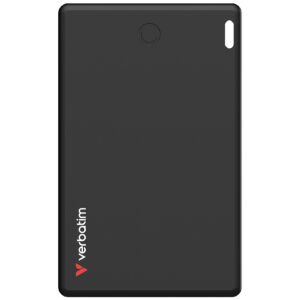
My Finder Card (Single pack)
Learn more -
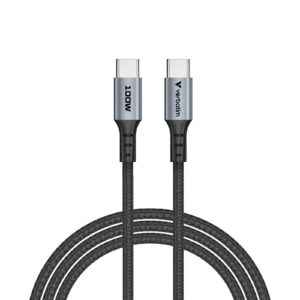
Sync & Charge Cable 100W USB-C to USB-C (SCC2-CC100)
Learn more -
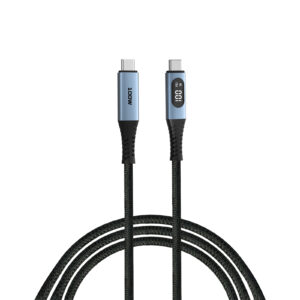
Sync & Charge Cable 100W USB-C to USB-C with LED Display (SCC2-CCD100)
Learn more -
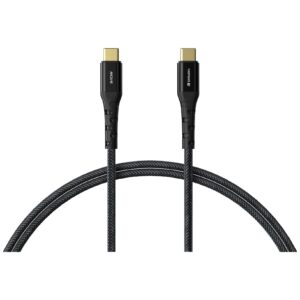
Tough Max 240W Type C to Type C Cable
Learn more -
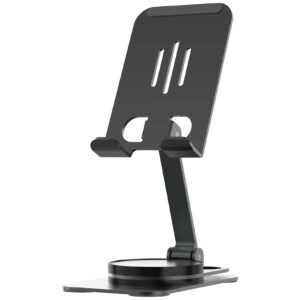
Foldable & Rotatable Phone Stand
Learn more -
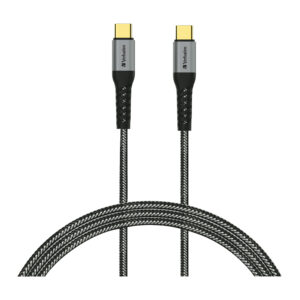
Tough Max Type C to Type C Cable
Learn more -

My Finder – Twin Pack
Learn more -
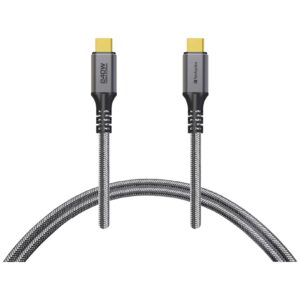
Tough Max 240W USB4 Type C to Type C Cable
Learn more